AnimationAITools
Локальная ИИ-студия для Spine 3.7–4.2Local AI studio for Spine 3.7–4.2

Из рисунка — в живой риг Spine с помощью ИИ, на вашем компьютере

From a drawing to a living Spine rig with AI, on your own computer

AnimationAITools нарезает арт на части, ставит кости и меши и создаёт анимации в формате Spine 3.7, а готовый проект переводит в Spine 3.8, 4.0, 4.1 или 4.2 либо экспортирует в Godot 4. Работу выполняет ИИ из вашей подписки Claude или ChatGPT, а проекты не покидают ваш компьютер.

AnimationAITools cuts your art into parts, sets up bones and meshes and creates animations in Spine 3.7 format, then converts the finished project to Spine 3.8, 4.0, 4.1 or 4.2, or exports it to Godot 4. The AI from your own Claude or ChatGPT subscription does the work, and your projects never leave your computer.

Без подписки: разовая покупкаNo subscription: pay once Ваша подписка Claude или ChatGPTUses your Claude or ChatGPT plan Windows 10/11Windows 10/11 Проекты у васProjects stay local
adventurer · spine 3.7
Персонажа с плоского листа нарезал, собрал на кости и анимировал ИИ (Codex) по правкам художника: 65 частей, меши, IK ног. Это настоящий риг Spine, а не видео. This character was cut from a flat sheet, rigged and animated by AI (Codex) under an artist's review: 65 parts, meshes, leg IK. It is a real Spine rig, not a video.
Как это работаетHow it works

Три шага от арта до анимацииThree steps from art to animation

Вы описываете идею своими словами, ИИ работает инструментами студии, а вы смотрите превью и вносите правки.

You describe the idea in your own words, the AI works with the studio's tools, and you watch the preview and ask for changes.

Загрузите артAdd your art

PSD/PSB со слоями или плоская картинка персонажа. Плоский рисунок ИИ разрежет на части сам.

A layered PSD/PSB or a flat image of the character. The AI cuts a flat drawing into parts itself.

PSDPSBPNGJPEGWebP

Получите ригGet a rig

Кости, точки вращения, привязка слотов и меши — с проверкой суставов на изгиб.

Bones, pivots, slot binding and meshes, with a joint bend check.

bonesmeshesIK

ОживитеBring it to life

Idle, ходьба, моргание, эффекты. Смотрите превью, сравнивайте версии, просите доработку.

Idle, walk, blink, effects. Watch the preview, compare versions, ask for refinements.

idlewalkblinkfx
ПримерыExamples

Один персонаж — от рисунка до анимацийOne character, from drawing to animation

Это персонаж с первого экрана: каждый вид ниже — живой риг Spine прямо в браузере, а не видео. Скоро здесь появятся и другие персонажи.

This is the character from the top of the page: each view below is a live Spine rig in your browser, not a video. More characters are coming here soon.

cutout · 65 parts

Нарезка плоского рисункаCutting a flat drawing

Один лист с персонажем ИИ разрезал на 65 частей, готовых для костей.

The AI cut one character sheet into 65 parts, ready for bones.

cutoutPNG
walk_lantern · bones · IK

Кости и ходьбаBones and a walk

48 костей, IK ног и меши с весами: стопы стоят на земле, ткань гнётся.

48 bones, leg IK and weighted meshes: the feet stay planted and the cloth bends.

bonesIKmeshes
idle · 30 fps

СтойкаIdle

Дыхание, моргание, качание фонаря; плащ, шарф и чёлка отстают от корпуса.

Breathing, a blink and a swinging lantern; the cape, scarf and fringe lag behind the body.

idleblinkfollow-through
attack · 30 fps

АтакаAttack

Замах, удар мечом и возврат в стойку, фонарь качается в другой руке.

Wind-up, a sword strike and back to stance, with the lantern swinging in the other hand.

attackoverlap
СтудияThe studio

Все проекты под рукойEvery project at hand

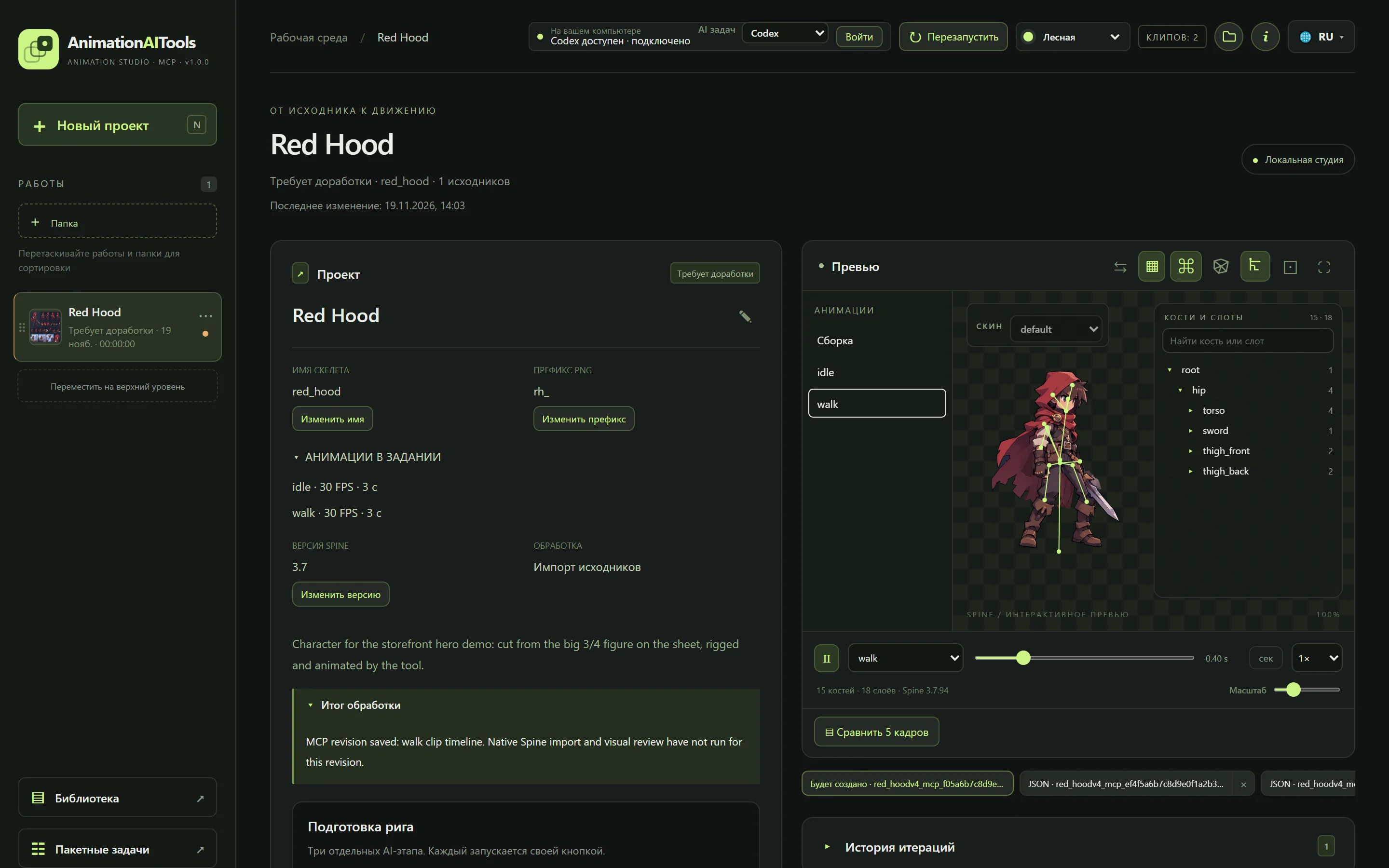
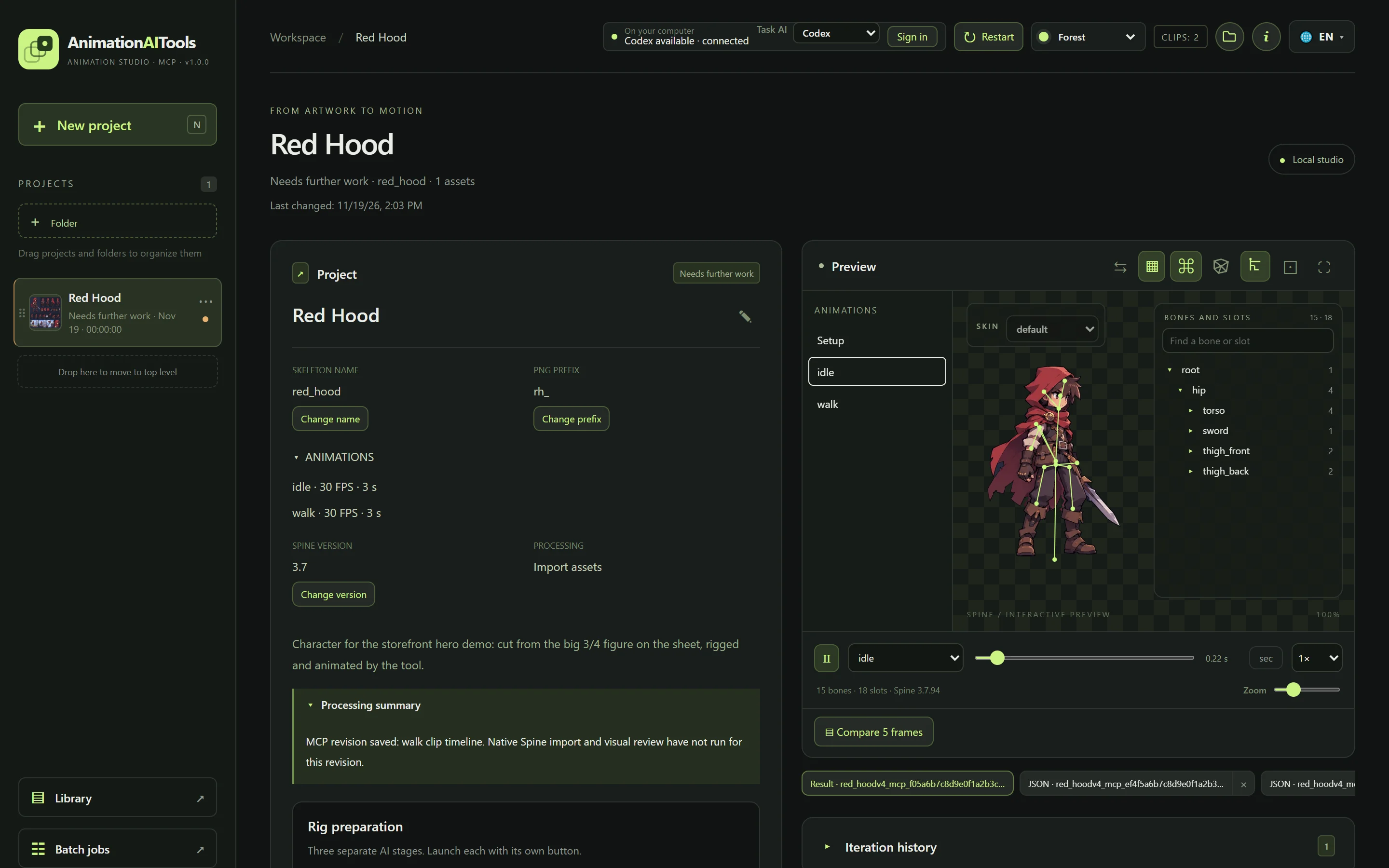
Студия открывается в браузере на вашем компьютере. В ней вы ведёте проекты, смотрите риг, сравниваете версии и следите, как ИИ выполняет задачу.

The studio opens in your browser, on your own computer. There you keep your projects, inspect the rig, compare versions and follow the AI as it works on a task.

Контекст живёт в проекте, а не в чатеThe context lives in the project, not in a chat

Задание, концепт, план, отчёты, скрипты и все версии рига хранятся в папке проекта. Каждая новая задача ИИ начинает с них, а «Доработать» передаёт агенту итог прошлого прогона и ваш комментарий. Закрыли чат, кончился лимит, перешли с Codex на Claude — проект продолжается с того же места, и токены не уходят на пересказ истории.

The brief, concept, plan, reports, scripts and every rig version are kept in the project folder. Each new AI task starts from them, and Refine hands the agent the previous run's results and your comment. Closed the chat, hit a limit, switched from Codex to Claude: the project carries on where it stopped, and no tokens go on retelling the history.

Все работы в одном местеAll your work in one place

Папки, перетаскивание, статус, дата и затраченное время у каждой работы.

Folders, drag and drop, and the status, date and time spent for each project.

Ничего не теряетсяNothing gets lost

История версий JSON и итераций: к любой версии можно вернуться и сравнить её с текущей.

A history of JSON versions and iterations: go back to any version and compare it with the current one.

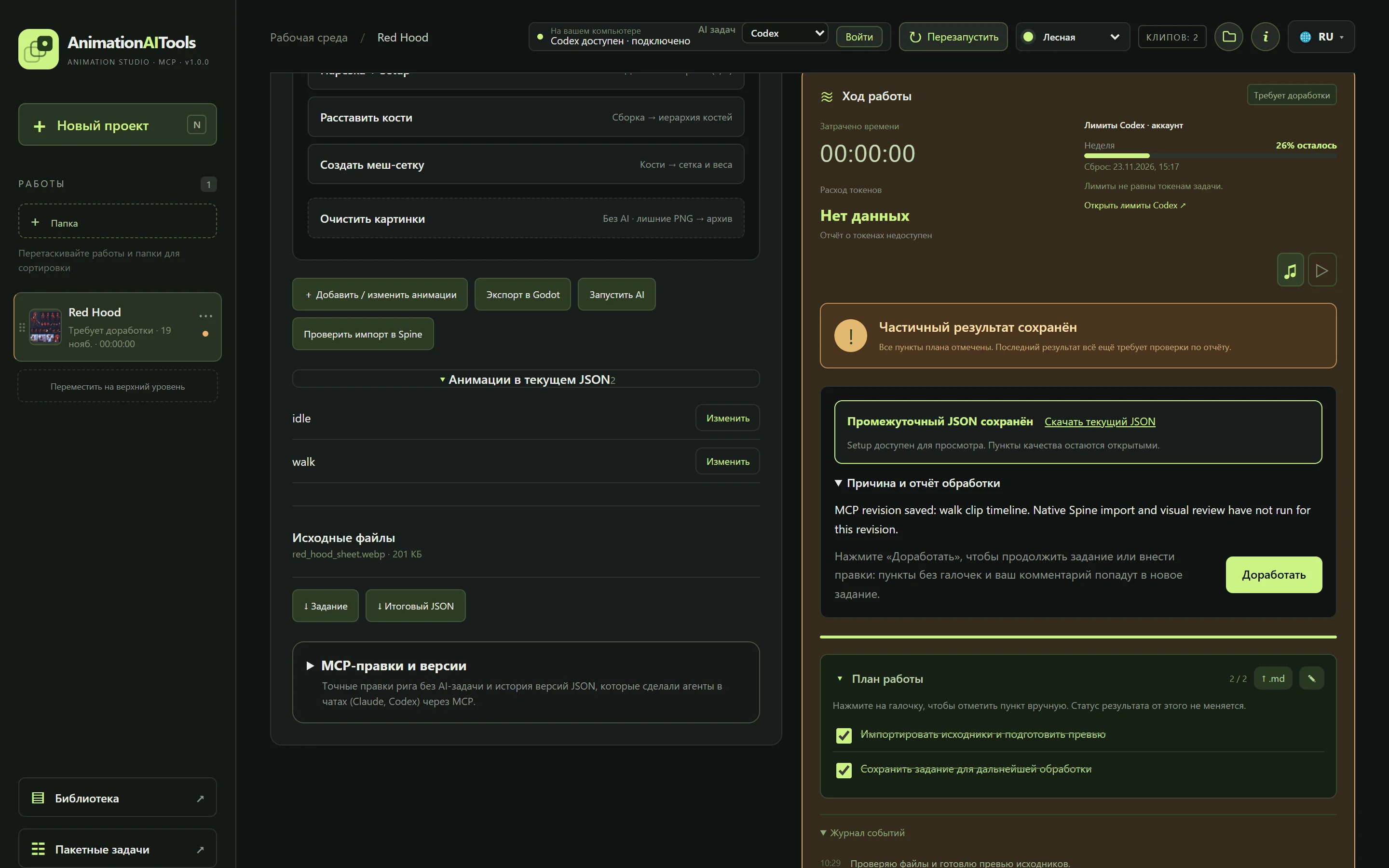
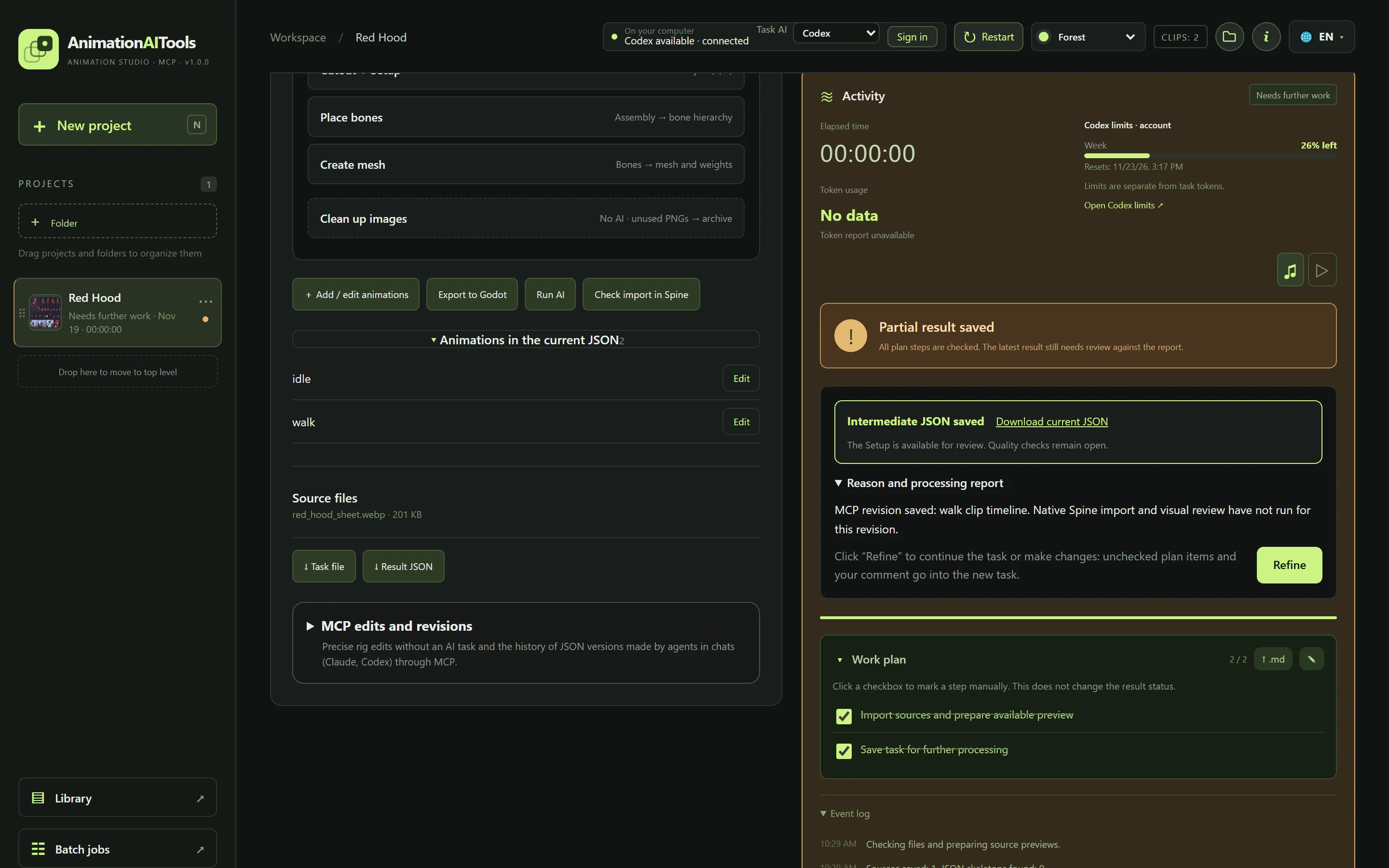
Видно, что делает ИИSee what the AI is doing

План задачи, журнал событий, таймер и остаток лимитов Claude или Codex.

The task plan, the event log, a timer and the remaining Claude or Codex limits.

Правки словамиChanges in plain words

Не понравилось — нажмите «Доработать» и напишите, что поправить. Незакрытые пункты плана уйдут в новую задачу.

Not happy? Press Refine and write what to fix. Open plan items go into the new task.

Готово к движкуReady for your engine

Проверка импорта в вашем Spine, перевод в 3.8–4.2 и экспорт в Godot 4 — кнопками на странице проекта.

An import check in your Spine, conversion to 3.8–4.2 and export to Godot 4, all as buttons on the project page.

Пакетные задачиBatch jobs

Одна правка сразу для многих проектов: с пробным прогоном и откатом.

One change across many projects at once, with a dry run and rollback.

ВозможностиFeatures

Всё для анимации в одной студииEverything for animation in one studio

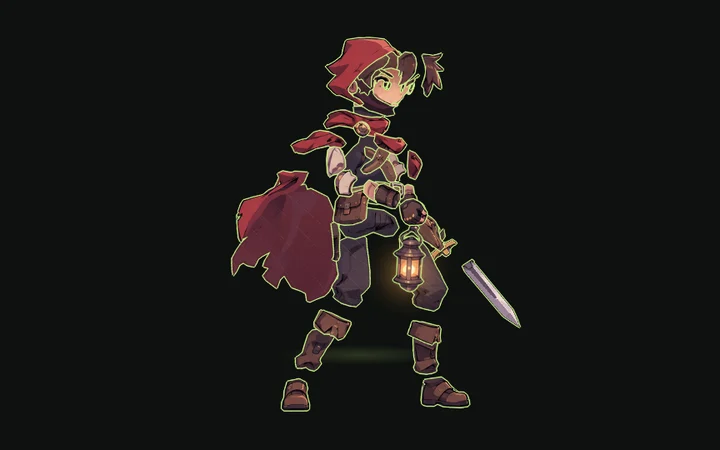
Персонаж, разрезанный на части с контурамиA character cut into outlined parts

Из PSD или картинкиFrom PSD or an image

Импорт слоёв или нарезка плоского рисунка с сохранением исходного качества.

Layer import, or cutting a flat drawing while keeping the source quality.

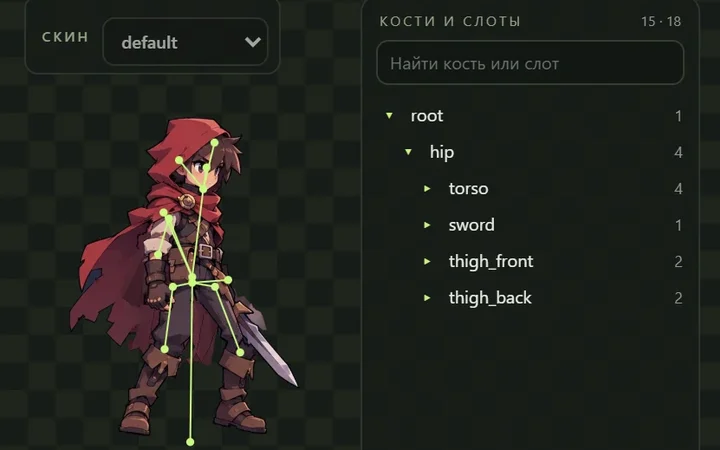
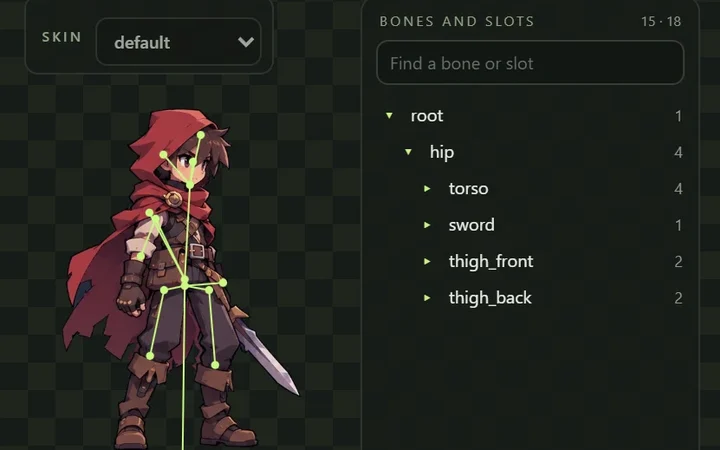
Кости поверх персонажа и дерево костей в студииBones over the character and the bone tree in the studio

Риг и мешиRig and meshes

Кости, привязка слотов и сетки мешей, проверка суставов на изгиб.

Bones, slot binding and meshes, with a joint bend check.

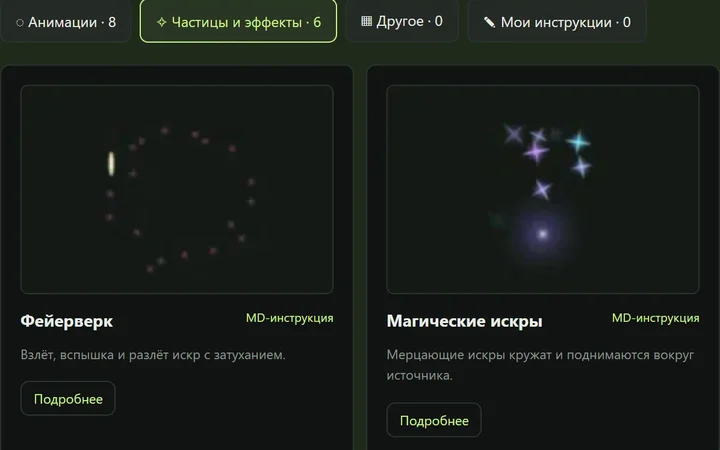
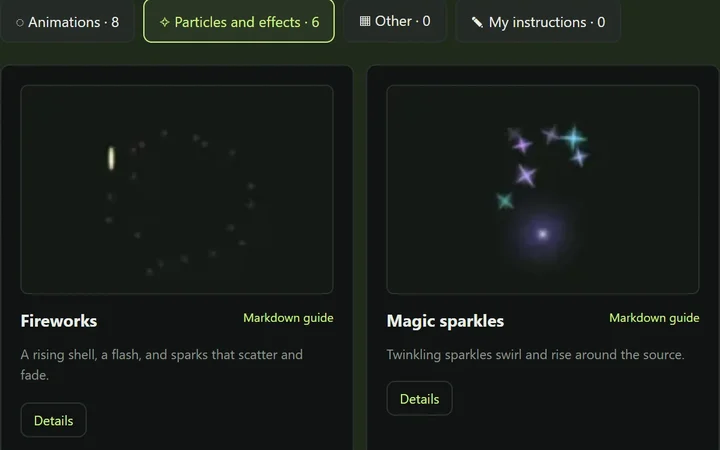
Библиотека инструкций: пресеты эффектов с превьюThe guide library: effect presets with previews

Анимации по гайдамGuided animation

Библиотека инструкций для ИИ: idle, ходьба, моргание, эффекты частиц. Студия сама берёт под задачу только нужные, а рядом можно добавить свои MD-инструкции.

An instruction library for the AI: idle, walk, blink, particle effects. The studio picks only what each task needs, and you can add your own MD instructions.

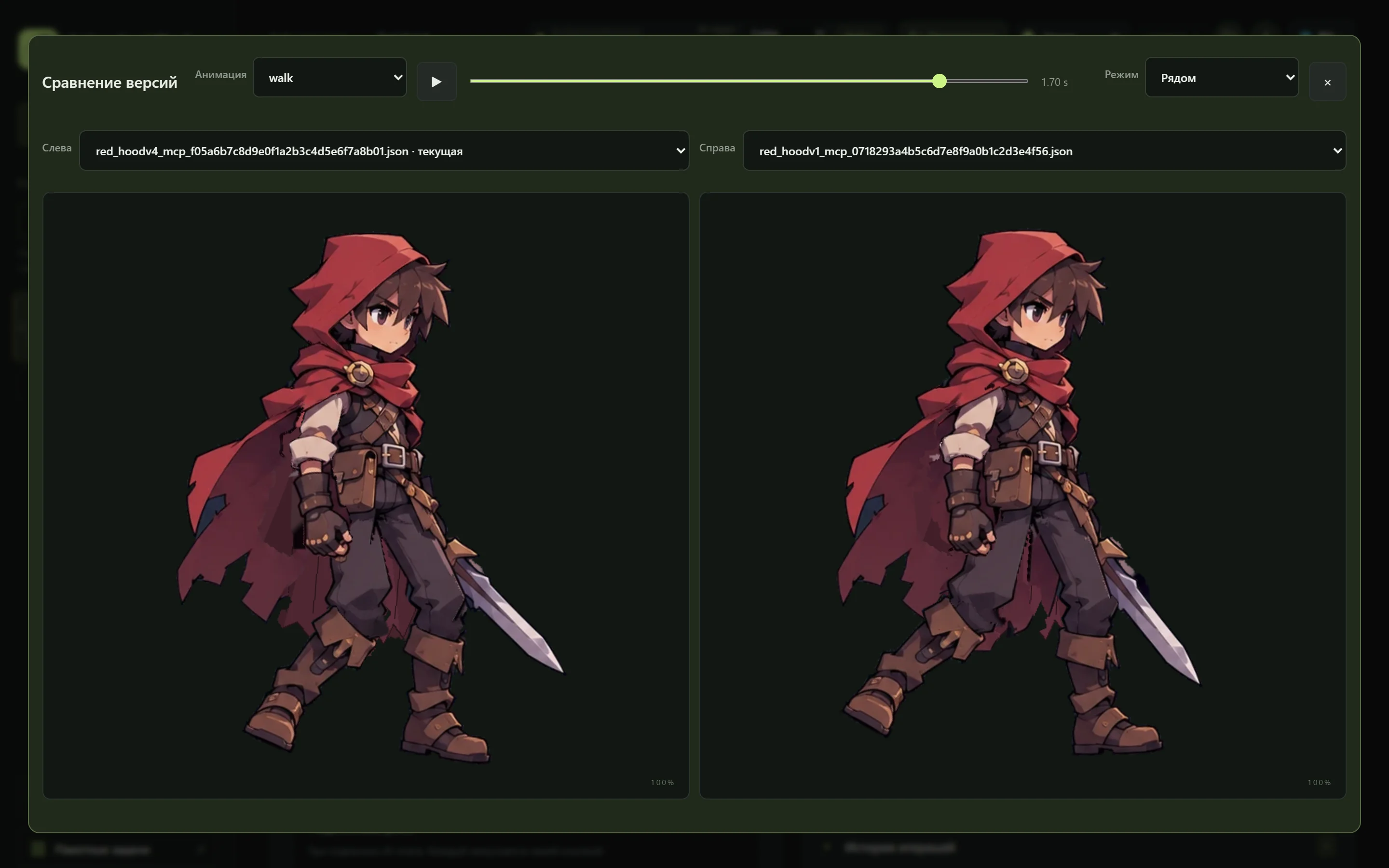
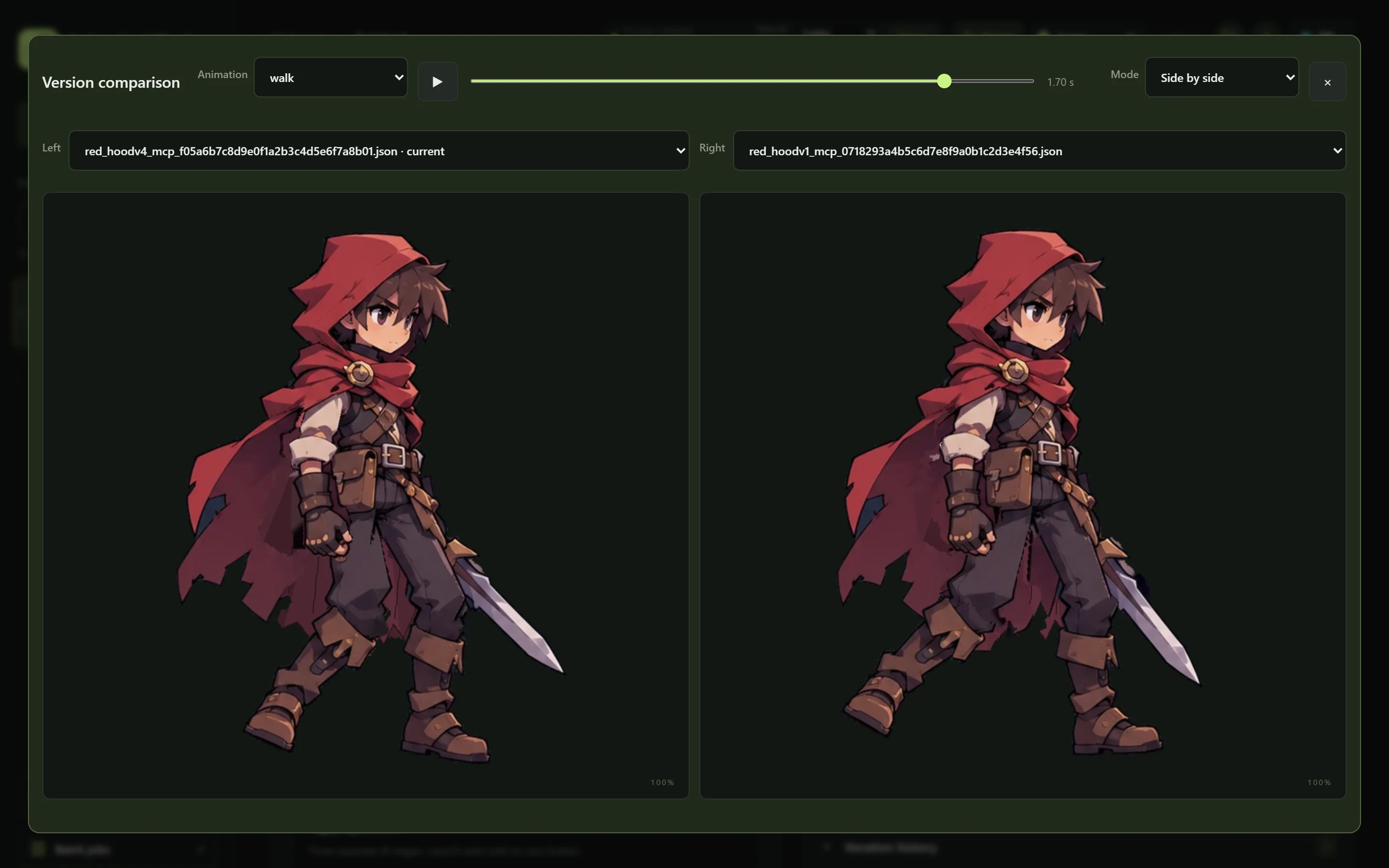
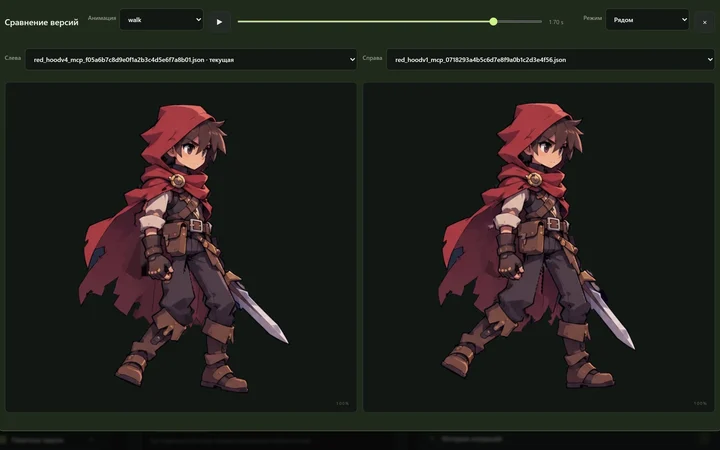
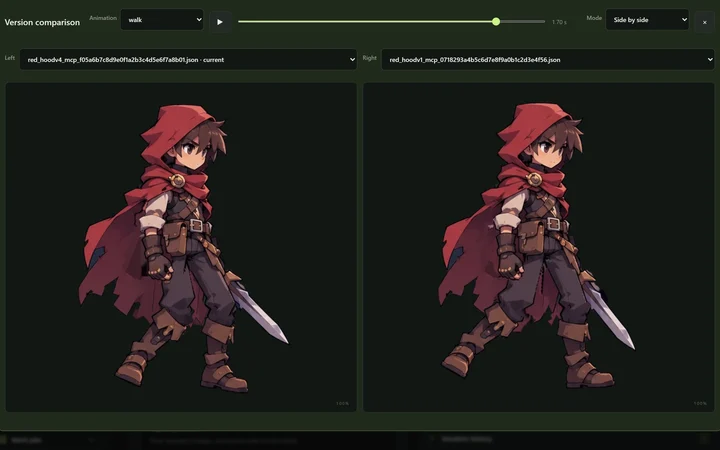
Две версии рига рядом на одной анимацииTwo rig versions side by side on one animation

Превью и сравнениеPreview and compare

Анимация в браузере и сравнение версий: рядом, наложением и с подсветкой разницы.

Animation in the browser and version comparison: side by side, overlaid, or with differences highlighted.

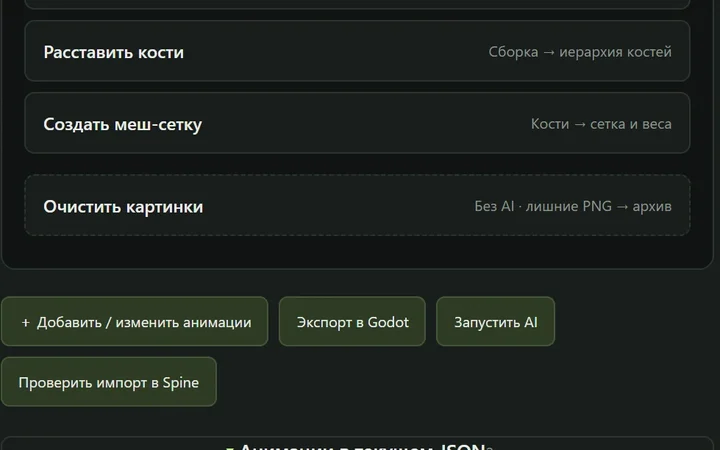
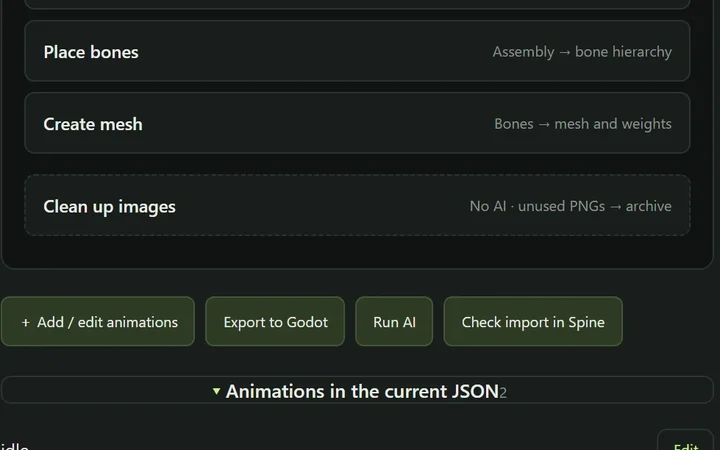
Этапы рига и кнопки экспорта в Godot и проверки импорта в SpineRig stages and the Godot export and Spine import check buttons

Spine и GodotSpine and Godot

Проверка импорта в вашем Spine и перевод в версии 3.8–4.2. Экспорт в Godot 4 — готовая сцена с костями, мешами и анимациями.

An import check in your Spine and conversion to 3.8–4.2. Export to Godot 4: a ready scene with bones, meshes and animations.

Ваши ИИ-чатыYour AI chats

Задачи выполняют Claude Code или Codex; как MCP-сервер тулза работает ещё и в Antigravity.

Claude Code or Codex run the tasks; as an MCP server the tool also works in Antigravity.

Зачем это нужноWhy it pays off

Экономит часы ручной работыIt saves hours of manual work

Нарезка, риг и первые анимации — это часы рутины до того, как начинается само искусство. Черновик этой работы делает ИИ, а ваше время уходит на художественные правки.

Cutting, rigging and first animations are hours of routine before the actual art begins. The AI drafts that work, and your time goes into the artistic touches.

Если тулза сэкономит вам хотя бы один рабочий вечер, она уже окупилась.

If it saves you even one working evening, it has paid for itself.

  • Нарезка персонажа на части и дорисовка мест, которые на рисунке скрыты
  • Кости, точки вращения, меши и IK ног с проверкой суставов
  • Черновики idle, ходьбы, атаки и моргания с превью
  • Перевод в нужную версию Spine или экспорт в Godot
  • Cutting the character into parts and painting what the drawing hides
  • Bones, pivots, meshes and leg IK, with a joint check
  • Draft idle, walk, attack and blink clips with a preview
  • Conversion to your Spine version or export to Godot
ЛицензияLicense

Купить ключBuy a key

— один разonce

Оплата через Robokassa: российские и зарубежные карты, СБП. Ключ сразу появится на странице и придёт на почту.

Payment through Robokassa: bank cards from most countries, and SBP. The key appears on the page at once and is e-mailed to you.

УстановкаInstall

Скачать для WindowsDownload for Windows

Установщик студии для Windows 10 и 11 (64-бит).

The studio installer for Windows 10 and 11 (64-bit).

Скачивание откроется со стартом продажDownloads open when sales start

  1. Распакуйте архив и запустите Setup.exe.
  2. Откройте студию и вставьте ключ в окне «Лицензия».
  3. Войдите в Claude Code или Codex — и можно работать.
  1. Unpack the archive and run Setup.exe.
  2. Open the studio and paste the key in the “License” window.
  3. Sign in to Claude Code or Codex, and start working.
Подробнее: начало работы →More: getting started →
Что входитWhat you get

Один ключ — без подпискиOne key, no subscription

  • Разовая покупка: без подписки и ежемесячных платежей
  • ИИ работает через вашу текущую подписку Claude или ChatGPT, новых подписок не нужно
  • Ключ на 2 компьютера, перенос в один клик
  • Обновления версии 1.x бесплатно, библиотека инструкций обновляется сама
  • Когда наберётся 5000 пользователей, тулза станет бесплатной для всех
  • Проекты остаются на вашем компьютере
  • Pay once: no subscription, no monthly fees
  • The AI runs on your current Claude or ChatGPT plan; no new subscription needed
  • A key for 2 computers, moved in one click
  • Free 1.x updates; the instruction library updates itself
  • At 5000 users the tool becomes free for everyone
  • Projects stay on your computer
Что нужноRequirements

Работает на вашем компьютереRuns on your computer

  • Windows 10 или 11, 64-бит.
  • Spine с вашей лицензией — для проверки импорта, перевода в нужную версию и доработки в редакторе.
  • Подписка Claude (Claude Code) или ChatGPT (Codex) — ИИ работает через неё.
  • Интернет — для ИИ и для проверки лицензии раз в сутки.
  • Windows 10 or 11, 64-bit.
  • Spine with your own license, to check imports, convert to the version you need and refine in the editor.
  • A Claude (Claude Code) or ChatGPT (Codex) subscription: the AI works through it.
  • Internet, for the AI and a daily license check.

ИИ берёт на себя нарезку, риг и черновые анимации. Художественную оценку и финальные правки делаете вы.

The AI takes on the cutout, the rig and draft animations. The artistic judgement and final touches are yours.

ВопросыFAQ

Частые вопросыQuestions

Это подписка?

Нет. Ключ покупается один раз и действует без срока. Обновления версии 1.x и библиотеки инструкций входят в покупку. Отдельную подписку на ИИ оформлять тоже не нужно: тулза работает через вашу текущую подписку Claude или ChatGPT. Задачи расходуют обычные лимиты вашего тарифа.

Нужен ли Spine?

Да. Для проверки импорта, перевода версий и финальной работы нужен ваш Spine с лицензией. Spine в комплект не входит.

Какие версии Spine поддерживаются?

ИИ нарезает, ригает и анимирует в формате Spine 3.7. Кнопка «Изменить версию» переводит готовый проект в 3.8, 4.0, 4.1 или 4.2: конвертацию выполняет ваш Spine, исходный JSON сохраняется. Перевод только вперёд, к более новой версии. Проекты, которые уже сделаны в Spine 4.x, ИИ пока не редактирует.

Можно ли использовать в Godot?

Да. Кнопка «Экспорт в Godot» создаёт сцену Godot 4 из обычных узлов: Skeleton2D, кости, части с весами и AnimationPlayer со всеми анимациями. IK и плавность движений уже записаны в ключи, поэтому в игре не нужны ни Spine, ни плагин. Не переносятся деформация мешей по ключам, события и дополнительные скины: студия покажет это в отчёте. Unity пока не поддерживается напрямую, туда можно идти через рантайм spine-unity после перевода в Spine 4.2.

Какие ИИ поддерживаются?

Задачи на сайте студии выполняют Claude Code (подписка Claude) или Codex (подписка ChatGPT). Как MCP-сервер тулза подключается к Claude Code, Codex и Antigravity.

Сколько стоит работа ИИ?

ИИ работает через вашу подписку, отдельно ничего платить не нужно. Для задач Claude студия показывает ориентировочную стоимость по ценам API.

Где хранятся мои проекты?

Только на вашем компьютере. Сервер лицензий получает ключ, обезличенный отпечаток компьютера и его имя — и ничего из проектов.

На скольких компьютерах работает ключ?

На двух. Чтобы перенести лицензию, нажмите в студии «Отключить на этом компьютере» и активируйте ключ на новом.

Есть ли версия для Mac?

Пока только Windows 10 и 11.

Is it a subscription?

No. You buy the key once and it never expires; updates to version 1.x and to the instruction library are included. You do not need a new AI subscription either: the tool works through your current Claude or ChatGPT plan, and its tasks use your plan's usual limits.

Do I need Spine?

Yes. The import check, version conversion and final work need your own licensed Spine. Spine is not included.

Which Spine versions are supported?

The AI cuts, rigs and animates in Spine 3.7 format. The “Change version” button converts the finished project to 3.8, 4.0, 4.1 or 4.2: your Spine does the conversion, and the source JSON is kept. Conversion only goes forward, to a newer version. The AI does not yet edit projects already made in Spine 4.x.

Can I use it in Godot?

Yes. “Export to Godot” creates a Godot 4 scene from plain nodes: Skeleton2D, bones, weighted parts and an AnimationPlayer with every clip. IK and easing are already baked into the keys, so the game needs neither Spine nor a plugin. Deform keys, events and extra skins are not carried over; the studio lists them in its report. Unity is not supported directly yet; use the spine-unity runtime after a Spine 4.2 conversion.

Which AIs are supported?

Studio tasks run on Claude Code (a Claude subscription) or Codex (a ChatGPT subscription). As an MCP server, the tool connects to Claude Code, Codex and Antigravity.

What does the AI cost?

The AI works through your own subscription; there is nothing extra to pay. For Claude tasks the studio shows an estimated cost at API prices.

Where are my projects stored?

Only on your computer. The license server receives the key, an anonymised computer fingerprint and its name, and nothing from your projects.

How many computers does a key cover?

Two. To move the license, press “Deactivate on this computer” in the studio and activate the key on the new one.

Is there a Mac version?

Not yet: Windows 10 and 11 only.

Оживите своего персонажаBring your character to life

Продажи и скачивание откроются совсем скоро. Оставьте почту — напишем в день старта.

Sales and downloads open very soon. Leave your e-mail and we will write on launch day.